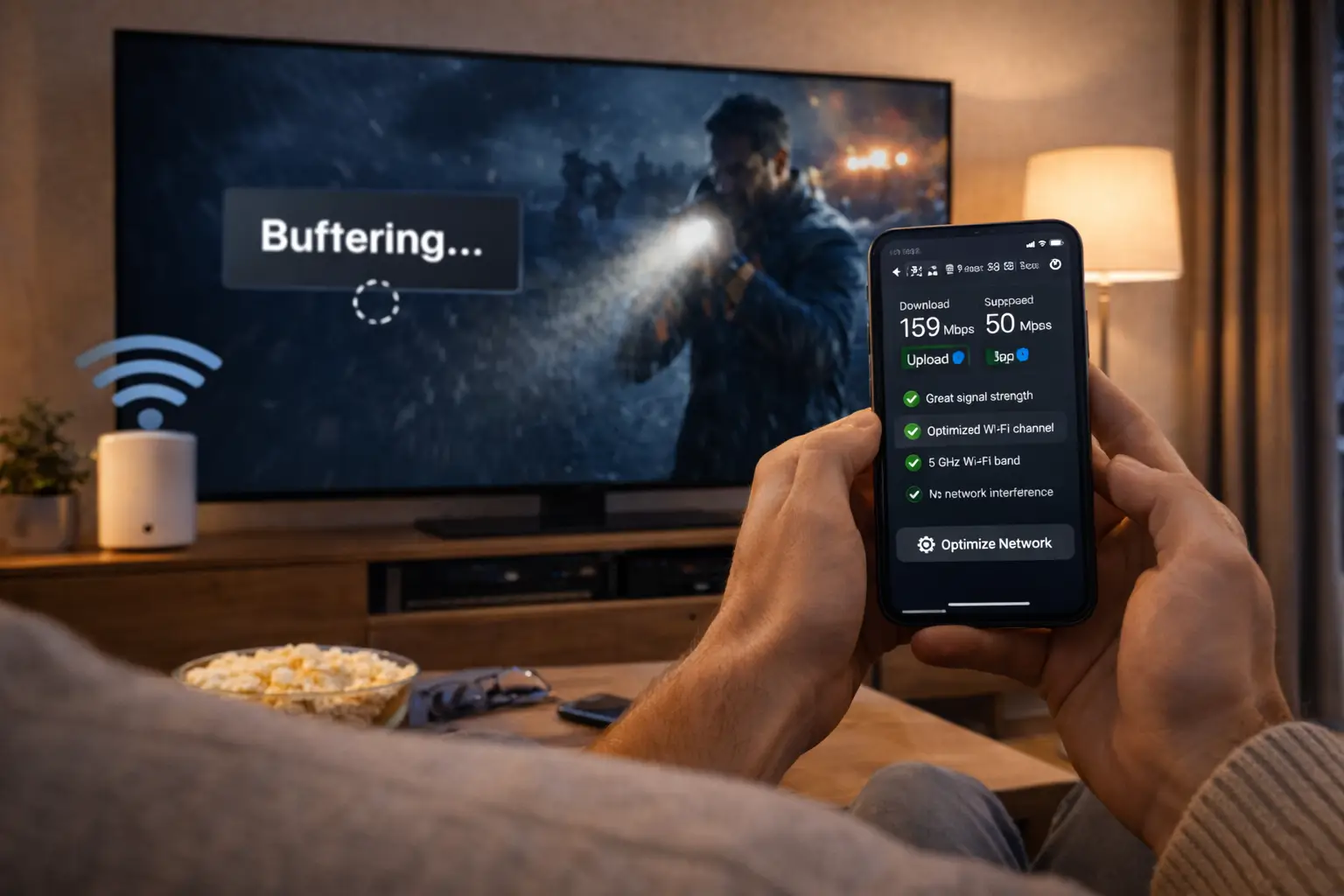
Many family homes follow the same layout: a modem near the front door or in a utility corner, a living room on the main floor, bedrooms upstairs and a finished basement where the big TV ended up. IPTV Mississauga households in detached houses, semis and split-levels run into one problem more than any other. The stream is perfect on the main floor and stutters two storeys away. The service is identical on every floor. The Wi-Fi is not.
This guide focuses on that gap between floors. You will learn how a signal travels through a house, how to test each room properly, where to put the router, how to place a mesh system so it actually helps, which wired options exist when you cannot open walls, how to choose picture quality room by room, what changes in a semi or a split-level, and how to fit family routines around the one-connection rule. Every fix is something you can do yourself, and most cost less than a month of frustration.
IPTV Mississauga in a house: where the signal goes
Wi-Fi spreads out from the router in every direction and loses strength with every wall, floor and appliance it passes through. Think of it as a sphere of signal that shrinks each time it meets something solid. In a two-storey house with a basement, a router in a corner of the main floor sends much of that sphere out through the side of the house, a fair amount up, and very little down.
Each step in that chain takes a bite. A wooden floor costs a little. A tiled kitchen floor costs more. The furnace, the water heater and the main ducts running along the basement ceiling cost a lot, because metal reflects Wi-Fi rather than letting it pass. By the time the signal reaches a TV on the far side of the basement, it can be a fraction of what your phone sees in the kitchen.
That is why speed tests can mislead. A test on your phone in the kitchen might show plenty of speed, while the stick behind the basement TV gets far less. Always test on the device that will play the stream, in the room where it lives, at the hour you usually watch. The per-screen needs are your yardstick: about 10 Mbps for HD, 15 Mbps for Full HD and 25 Mbps for 4K. If the basement number falls below what the TV needs, the problem is coverage, and coverage can be fixed.
Why the basement TV struggles
Basements combine every obstacle at once, and they also tend to hold the screen that asks the most of your network. The tiles below sum up what stands between the router and a typical basement family room.
A whole floor
The signal must pass down through the subfloor and joists, sometimes a tiled floor too.
The mechanical room
Furnace, water heater and ductwork reflect and scatter Wi-Fi.
Foundation walls
Concrete around the edges limits any signal coming in from outside angles.
The biggest screen
Basement TVs are often large 4K sets that need the most bandwidth.
Busy upstairs
Video calls and phones on the main floor take their share first.
Hidden sticks
A stick behind a wall-mounted TV faces away from the router.
The symptoms are easy to recognise: channels that take a long time to start, a picture that drops in sharpness every few minutes, or a stream that freezes when someone upstairs starts a video call. Before you blame the service, run a speed test on the basement device. If you see buffering anyway, our IPTV buffering guide walks through the checks one by one.
Quick test: carry the streaming stick upstairs, plug it into a TV near the router and play the same channel. If it runs smoothly there, the service is working and your basement just needs better coverage.
Testing every floor before you change anything
It is tempting to buy a mesh kit the moment the basement stutters. Spend one evening measuring first. The numbers will tell you whether you need new equipment at all, and if so, where it should go. Use the device that plays the stream, or a phone held right next to it, and test at the hour the family usually watches.
| Room | Device | Band | Evening result | What it means |
|---|---|---|---|---|
| Living room, main floor | Smart TV | 5 GHz | Above 25 Mbps | Ready for 4K |
| Kitchen | Tablet | 5 GHz | Above 10 Mbps | Ready for HD |
| Main bedroom, upstairs | Fire TV Stick | 2.4 GHz | Around 15 Mbps | Full HD, little margin |
| Basement family room | Android TV box | 2.4 GHz | Below 10 Mbps | Needs a coverage fix |
The rows above are a hypothetical example; fill in your own. What you are looking for is the weakest room that matters. If it is a guest room nobody uses, leave it. If it is the basement where the kids watch every afternoon, that is where your effort goes first.
Repeat the test after every change you make. Moving the router can lift one room and drop another, and a mesh point in the wrong spot can make things worse rather than better. With a written log, you can see exactly which change helped, and you can put things back if a family member moves the router to dust behind it.
Router placement in a two-storey house
Where the modem enters the house is decided by the installer, not by you. Where the router sits is your choice, and it is the cheapest improvement available. A router on a shelf near the middle of the main floor, out in the open and off the floor, covers more of a house than one hidden in a cupboard by the door.
Aim for the centre of the house
Picture the house from the side. The ideal router spot is roughly in the middle, so the signal has a similar distance to travel up to the bedrooms and down to the basement. In most two-storey homes, that means a central hallway, the stairwell area or a shelf near the kitchen island.
- Off the floor, at shelf or table height
- Outside cabinets, closets and media consoles
- Away from the microwave, the fridge and large mirrors
- Antennas, if it has them, set some upright and some sideways
If the modem is stuck by the front door, a longer network cable from the modem to the router lets you move the router without touching the line coming into the house. In many homes, the cable can run along the baseboard of the hallway or through the basement ceiling and back up through a floor vent opening or an existing gap near the pipes. The goal is a central router, even if the modem stays where it is.
After the move, test every floor again. It is common to lose a little in the room nearest the old spot and gain a lot in the basement and upstairs. That trade is almost always worth it.
Mesh systems: placing the second unit
When router placement alone cannot reach every floor, a mesh system adds one or more units that relay the signal. Done right, it brings a strong signal to the basement. Done wrong, it just repeats a weak one. Placement is everything.
- Step one
Find the halfway point
Put the second unit roughly halfway between the router and the weak room, not inside the weak room itself. For a basement, that is often at the bottom of the stairs.
- Step two
Check its own signal
Most mesh apps show how well each unit hears the main one. Aim for a good link before you worry about the TV.
- Step three
Connect the TV
Let the basement TV join the mesh network, or plug it into the mesh unit’s network port with a short cable if it has one.
- Step four
Test in the evening
Run the speed test on the basement TV at viewing time and compare with your log.
The most common mistake is putting the mesh unit right next to the basement TV. That unit then sits far from the router and repeats a weak signal at full volume. Halfway is better, because it hears the router clearly and still reaches the basement easily. In a house with a finished basement and two upper floors, a three-unit system with one at the bottom of the basement stairs and one on the upstairs landing often covers everything.
If any mesh unit offers a wired back connection and you can run a cable to it, use it. A mesh unit connected by cable to the router no longer relies on Wi-Fi to talk to the main unit, so the full speed reaches the basement.
Wired links when you cannot open walls
Nothing beats a cable for a 4K screen. In a finished house, running new cable inside walls is a job for someone with the right tools, but there are often easier routes than people expect. The table compares the options most households can manage.
| Option | How it works | Good for | Keep in mind |
|---|---|---|---|
| Existing network jack | Some newer houses have network outlets in a few rooms | Any room that has one | Check where the other end lands, often the utility area |
| Cable through an unfinished ceiling | Run along joists in a storage or furnace room | Basements with an unfinished section | Keep away from the furnace and hot pipes |
| Cable along baseboards | Flat cable on the surface, clipped down | Same-floor runs | Doorways need a neat route |
| Powerline adapters | Use the house’s electrical wiring to carry data | Rooms where cable is impossible | Results vary with the wiring; test before relying on it |
| Mesh with wired back connection | Cable to one mesh unit, Wi-Fi from there | A whole floor at once | Needs one cable route to the unit |
Basements with an unfinished storage or mechanical section are the lucky case. A cable can follow the joists across the open ceiling and pop through to the finished side near the TV, with no walls opened at all. Keep it clear of the furnace and hot water pipes, and use cable clips rather than wrapping it around anything.
Powerline adapters are worth testing when no cable route exists. They can work very well in some houses and poorly in others, depending on how the wiring runs between circuits. Buy from a shop with a sensible return policy, test on the basement TV in the evening, and keep them only if the numbers improve.
2.4 GHz or 5 GHz through floors
On a dual-band router, the two bands behave like two different tools, and in a house with several floors the choice matters more than in a flat condo.
Which band for which floor
The 2.4 GHz band reaches further and passes through floors more easily, but it is slower and shared with older gadgets. The 5 GHz band is faster but fades over distance and through solid floors. A basement stick far from the router may actually do better on 2.4 GHz than on a weak 5 GHz signal. Once a mesh point sits nearby, switch it to 5 GHz from that unit. Upstairs bedrooms one floor above a central router usually handle 5 GHz well.
If your router shows both bands under one name, devices choose for themselves, and a basement stick may jump between them during the evening. When that happens, the picture can drop and recover every few minutes. Giving each band its own name in the router settings lets you pin each TV to the band that tests best in its room. Leave smart plugs, the thermostat and other small gadgets on 2.4 GHz so they stay out of the way of your streams.
Ask your internet provider if the router’s settings are locked; they can usually make the change. And if you add a mesh system, it often creates its own network with both bands under one name. In that case the mesh decides for each device, and it tends to do a better job than a single router, because each unit can steer the basement TV toward whichever nearby unit and band gives it the strongest link.
Matching IPTV Mississauga quality to each room
Not every screen needs the same quality. Choosing per room keeps the busiest moments smooth and puts your bandwidth where it shows.
Per-screen need by quality
| Room | Typical signal | Suggested quality | Per-screen need |
|---|---|---|---|
| Main-floor living room near the router | Strong | Full HD or 4K | 15 Mbps or 25 Mbps |
| Basement family room | Weak without help | 4K once wired or meshed, HD until then | 25 Mbps or 10 Mbps |
| Upstairs bedroom | Medium | HD or Full HD | 10 Mbps or 15 Mbps |
| Kitchen tablet | Medium to strong | HD | 10 Mbps |
| Home office in the basement | Weak to medium | HD on a laptop | 10 Mbps |
Many players let you choose a quality version of a channel, or set a default. On a bedroom TV across the room, HD and Full HD look very similar, so there is little to lose by choosing the lighter option where the signal is modest. Keep 4K for the screen that is both large and well connected.
Semi-detached houses and the shared wall
A semi gives you a house with its own floors and a neighbour on the other side of one wall. That shared wall brings a touch of condo life into a suburban home: your neighbour’s router may sit a metre or two from yours, on the same bands.
Half its signal heads into the neighbour’s house, and theirs comes into yours.
Then: move it toward the middle of your own floorBoth households are online at the same time, and the shared wall puts your networks side by side.
Then: use 5 GHz or a cable for the main TVDistance and the stairwell weaken the signal more than in a detached house of the same size.
Then: mesh point on the upstairs landingThe foundation wall blocks little of your neighbour’s signal but plenty of yours from upstairs.
Then: wired link or mesh at the bottom of the stairsSemis are usually narrower than detached houses, which helps. The middle of your floor is never far from either end, so a centrally placed router covers the main floor easily. The challenge is mostly vertical: getting from the main floor to the basement and the upper bedrooms. Treat the stairwell as your signal highway and place the router or mesh units near it.
One more semi-specific tip: if the neighbour’s router is clearly visible in your Wi-Fi list at full strength, theirs probably sits right against the shared wall too. You cannot move it, but you can move yours away from it. Even a few metres toward the middle of your own floor, plus 5 GHz for the main TV, reduces how much the two networks step on each other at nine in the evening.
Split-levels, back-splits and bungalows
Older suburban streets are full of houses that do not follow the two-storey pattern. Split-levels, back-splits and raised bungalows each spread floors differently, and Wi-Fi follows those shapes.
In a split-level, half-floors are stacked on each other a few steps apart. That sounds hard for Wi-Fi, but it is often easier than a full two-storey house, because each half-level is close to the next. A router on the middle level, near the short staircases, can reach the upper bedrooms and the lower family room with only a half-floor in the way. The weak spot is usually the lowest level, which often sits partly below ground and behind a foundation wall.
A back-split puts the levels at the back of the house, behind the main living area. Routers installed at the front door end up far from the bedrooms and the family room. Moving the router toward the back half of the house makes a large difference.
A raised bungalow spreads everything across one wide floor plus a bright basement. Distance along the floor is the issue upstairs; the floor itself is the issue downstairs. A router in the middle of the main floor and a mesh unit at the bottom of the stairs is the classic solution.
- Router on the middle level of a split-level, near the short stairs
- Router moved toward the back half of a back-split
- Mesh unit at the bottom of the stairs in a raised bungalow
- Lowest level tested last, since it is usually the weakest
Coverage sorted, now pick the pack
Three packs, four durations, one payment in Canadian dollars with no automatic renewal.
The basement as a home theatre: 4K done right
For many families, the finished basement is where the big screen lives: a sectional sofa, a large 4K TV, maybe a soundbar and dim lighting for film nights. It deserves the best connection in the house, and it is usually the hardest place to give it one.

Wire it, then go 4K
A 4K stream needs about 25 Mbps arriving steadily at the TV. On Wi-Fi through a floor and past the furnace, that is a lot to ask. A cable to the TV, or to a mesh unit beside it, turns the basement from the weakest room into one of the strongest.
- Android TV box or Apple TV with an Ethernet port
- HDMI port on the TV that supports 4K, often HDMI 2.0 or 2.1
- Player set to the 4K version of channels where offered
- Evening test on the box showing at least 25 Mbps
If the basement screen is a large 4K TV and you want the most from it, the Ultimate 4K Pack lists 57,000+ 4K channels, 47,000+ series and 179,000+ movies, served from 20 servers in Europe. Pair it with a wired connection to that TV for the steadiest result. Our Android TV box guide explains which box features matter for a home-theatre setup.
Avoid the false fix: a faster internet plan does not help a basement TV that cannot hear the router. Improve coverage first, then decide whether you need more speed.
Mapping your IPTV Mississauga home in steps
Put everything together in one evening. Keep a notepad handy and the welcome e-mail open on your phone.
- List every viewing spot. Note each TV, stick and tablet, which floor it is on and who watches there.
- Test where you watch. Run a speed test on each device in its own room, in the evening, and write the numbers down.
- Move the router to the centre. Use a longer cable from the modem if needed, then retest every floor.
- Fix the weakest room that matters. Add a mesh point halfway, run a cable, or test powerline adapters for the screen with the lowest result.
- Install your player. Get IPTV Smarters Pro, TiviMate or another supported player from the device’s official app store and enter your Xtream Codes details or M3U link.
- Set quality per room. Keep 4K for the strongest connection and HD for weaker rooms, then test again.
- Check the guide. Set the player’s programme guide to Eastern Time and compare it with a live channel.
Your access details arrive by e-mail within minutes of ordering. If the player refuses the login, the Xtream Codes setup guide lists each field and the usual typing slips.
Finishing or renovating the basement: plan the cable now
If your basement is still unfinished, or you are about to renovate it, you have a rare chance. Before the drywall goes up, running a network cable from the router area to the spot where the TV will hang costs very little and solves the basement problem for good. Once the walls are closed, the same job becomes much harder.
Talk to whoever is framing and finishing the space before they start. Ask for a network cable from the utility area, or from wherever the router will live, to a wall plate behind the planned TV position. While the walls are open, a second run to the future home office and a third to a central ceiling spot for a mesh unit cost little extra and give you options later. Mark where each cable ends on a photo of the open wall, so nobody drills into it when hanging shelves.
- Cable from the router area to the TV wall, ending in a wall plate
- A spare run to the home office or guest room
- One run to a central ceiling or high wall spot for a future mesh unit
- Photos of every cable route before the drywall goes up
- A power outlet behind the TV for a box or stick
If the renovation includes a separate entrance and a basement apartment for tenants, remember that the tenants will be a separate household. Your access stays with your family; they will need their own pack. A separate network for their unit, or at least a separate Wi-Fi name, keeps your evening streams and their traffic easier to manage.
Family routines across floors
Suburban houses spread people out. Kids drift to the basement after school, adults stay on the main floor, and a teenager disappears upstairs. Suddenly three floors want three different things. Each pack includes 1 simultaneous connection, so the same details work on every TV in the house, one at a time.
Coverage decides whether a room can play. The family routine decides whether it gets to.
Plenty of families manage with a simple routine: the basement TV after school, the living room after dinner, the bedroom TV on weekends. The habit that makes it work is closing the player when you leave a room, so the connection is ready for the next floor. A TV switched to standby with the player still open can keep the stream busy for a while.
If your evenings need two or more screens at once, contact support and ask about extra simultaneous screens. They explain the conditions and the price for your household. Remember to add the per-screen figures together in that case: a 4K basement and an HD bedroom playing at once need about 35 Mbps between them, measured on each device. For households with several generations and many viewers, the Brampton guide goes deeper into sharing screens.
Garage, deck and home office: the other spots
Houses have corners that condos do not. A TV in the garage workshop, a tablet on the back deck in summer, a laptop in a basement home office. Each one sits at the edge of your Wi-Fi.
Usually works well
- A tablet on the deck near the patio door, on 2.4 GHz
- A laptop in a basement office near a mesh unit
- A phone anywhere on the main floor
- A kitchen tablet in HD
Needs extra help
- A TV in a detached or insulated garage
- The far end of a large backyard
- A basement office behind the mechanical room
- A room above the garage at the end of the hallway
For the deck, a tablet in HD near the patio door usually manages on 2.4 GHz. For the garage, the signal often has to pass through an exterior wall and an insulated door, which is a tough route; a mesh unit near the connecting door helps. For the basement office, remember that work calls and the family’s evening streams share the line, so a cable for the laptop leaves the Wi-Fi to the TVs.
Deep dive: why the deck works in the morning and not at dinner
Outdoor Wi-Fi depends heavily on the path through the house. In the morning, few devices are active and the router can devote more airtime to the tablet on the deck. At dinner, phones, TVs and laptops inside the house all compete for the same router, and the device furthest away is the one that suffers first because it needs the most retransmissions. Moving the tablet closer to the patio door, or lowering it to HD, often brings it back.
Seasons in a suburban house
A house uses its rooms differently through the year, and your Wi-Fi feels it. In the depths of winter, everyone retreats to the cosy basement family room, which is exactly where the signal is weakest. In summer, the back deck and the garage get busy and the basement goes quiet.
Plan for the season when your weakest room is busiest. If the basement is the winter hangout, sort its coverage before the first cold snap rather than in the middle of a long weekend indoors. If the deck is where you watch in July, a tablet in HD near the patio door is usually enough, but test it before the first barbecue.
Festive lighting and outdoor decorations with their own Wi-Fi controllers add more gadgets to the 2.4 GHz band each December. If the basement stick is also on 2.4 GHz, you may notice more pauses during the holidays. Moving the stick to 5 GHz near a mesh unit, or to a cable, takes it out of that crowd.
Seasonal habit: run the evening speed test on the basement TV once each autumn and once each spring. Routers get moved, new gadgets arrive and family habits change; a quick check twice a year catches problems before a busy weekend does.
Choosing an IPTV Mississauga pack for a house with a basement
All three packs include HD, Full HD and 4K, 1 simultaneous connection and the same supported players. The choice depends on your screens and what the family watches.
Ultimate 4K Pack
- 57,000+ 4K channels
- 47,000+ series
- 179,000+ movies
- 20 servers in Europe
A house with a wired 4K basement and a family that loves films gets the most from the Ultimate 4K Pack. If the basement is still on Wi-Fi and you mostly watch in Full HD for now, the Premium or VIP Premium Pack makes more sense until the coverage work is done.
Durations are 1, 3, 6 or 12 months, paid once in Canadian dollars by card or PayPal, with no automatic renewal. See current prices on the plans page, and read the IPTV for families guide for profiles and parental controls.
When the problem is not your Wi-Fi
Coverage explains most basement trouble, but not all of it. A few signs point elsewhere, and spotting them early saves you from buying a mesh kit you do not need.
| What you notice | Likely cause | Where to look |
|---|---|---|
| Every TV buffers, even the one next to the router on a cable | The internet line itself at that hour | Your internet provider |
| Only one channel misbehaves, others play smoothly | That channel or its source | Try another channel, then write to support |
| The player says the connection is in use | Another screen in the house is still playing | Close the player on the other device |
| The guide shows the wrong programmes | Time zone or offset in the player | Set the guide to Eastern Time |
| The login is refused | A typing slip in the details | Re-enter the details from the e-mail |
The quick test from earlier is still the best first step: carry the basement device upstairs to a TV near the router. If it misbehaves there too, the cause is not the floors between you and the router. Work through the IPTV not working checklist, and if nothing on it explains the problem, write to support with the device, the player and what you see on screen. Support answers 7 days a week by e-mail and WhatsApp, in English and French.
Wi-Fi words for houses with several floors
- Mesh system
- Two or more Wi-Fi units working as one network, relaying the signal across floors.
- Wired back connection
- A cable linking a mesh unit to the router so it does not rely on Wi-Fi to relay.
- Powerline adapter
- A pair of plugs that carry network data over the house’s electrical wiring.
- Dual-band
- A router that broadcasts on both 2.4 GHz and 5 GHz.
- Band steering
- A router feature that picks the band for each device; useful, but sometimes better switched off.
- Dead zone
- A room where the signal is too weak for a stable stream.
Other homes, other problems. A condo in a tower fights crowded airwaves rather than floors; the Toronto guide covers that. Bilingual families can read the Ottawa guide for language settings. All four guides sit on the Ontario cities page.
Every floor covered
Order once, receive your access by e-mail within minutes, and set up the whole house tonight.
FAQ
Why does IPTV Mississauga buffer only in my basement?
Usually because Wi-Fi coverage is weaker there. Test the speed on the basement device; if it is low, move the router toward the centre, add a mesh point or use a cable.
Will a mesh system help?
Often, yes. Place the second unit halfway between the router and the basement, not inside the weak room, and test again in the evening.
Can I watch 4K in the basement?
Yes, if that screen gets about 25 Mbps. A wired connection is the most reliable way to reach that in a basement.
Do powerline adapters work for IPTV?
They can, depending on your house’s wiring. Test them on the basement TV in the evening and keep them only if the speed improves.
Should the basement stick use 2.4 GHz or 5 GHz?
Whichever tests better in that room. Far from the router, 2.4 GHz may win; next to a mesh unit, 5 GHz is usually faster.
Can the kids watch downstairs while we watch upstairs?
Each pack includes 1 simultaneous connection. For two streams at once, contact support about extra screens and their conditions.
Which devices work on every floor?
Samsung and LG smart TVs, Android TV and Google TV boxes, Fire TV Stick, Apple TV, phones, tablets and PC all work with the same access details.
Will a faster internet plan fix the basement?
Rarely on its own. If the basement TV cannot hear the router well, improve coverage first, then check whether you need more speed.
How fast is access delivered?
Your Xtream Codes details or M3U link arrive by e-mail within minutes of ordering.
Is there a contract?
No. You pay once for 1, 3, 6 or 12 months in Canadian dollars by card or PayPal, and nothing renews automatically.