Weighing IPTV vs cable for your Ontario home? Maybe the contract on your Mississauga semi is running out, or you have just picked up the keys to a Toronto condo and nobody has booked an installer yet. This page compares the two calmly and without naming any company, so you can judge them on what actually changes in your living room: the equipment, the commitment, the way you pay, the demands on your network, and how each one behaves on a busy weeknight when four people want four different things.
Neither option wins for every household. A farmhouse with a slow rural line and a downtown tower with fibre to the suite are not facing the same decision. So instead of a verdict, you will find the trade-offs laid out one by one, a few hypothetical Ontario homes to compare yourself with, a test you can run before cancelling anything, and a switch-over plan that avoids a dark TV on the evening of a finale.
IPTV vs cable: how the signal reaches you
Cable television uses a line that exists for TV. It runs into your home, ends at a wall plate, and connects to a box supplied by the provider. The provider manages that path end to end. You plug in the box, and the channels appear. When something breaks, a technician comes to fix the line or swap the box.
IPTV takes another route. The picture travels as data over your regular internet connection, the same one that carries e-mail, homework, video calls and online grocery orders. A player app on your TV, box, stick, phone or computer receives the stream and draws it on the screen. There is no TV-only wire. The router in your hallway does the job the cable box used to do.
That single difference explains most of what follows. With cable, the TV signal drives in its own lane. With IPTV, it merges into traffic with everything else your household does online. On a healthy connection, the merge is invisible. On a crowded or weak one, it is the very first thing to look at, long before blaming the service or the app.
It also explains why two neighbours can describe IPTV so differently. One lives on a quiet floor with the router beside the TV and says it is flawless. The other has the router in a basement closet under two floors of hardwood and says it stutters every evening. Same service, different homes. Keep that in mind when you read opinions online or hear them at the bus stop.
Two evenings in the same house, side by side
Abstract comparisons only go so far, so picture a hypothetical Mississauga semi on a Thursday night and follow it twice: once with a cable setup, once with IPTV. The household is invented, but every step is the kind of thing that really happens.
| Moment | With a cable setup | With IPTV |
|---|---|---|
| Turning the TV on | The provider box wakes up and shows the last channel | The player app opens and shows the last channel or the favourites list |
| Finding tonight’s programme | The provider’s guide, with its own remote | The player’s guide, set to Eastern Time, with the TV or device remote |
| Someone starts a video call upstairs | No effect on the TV | Shares the internet line; unnoticed if there is enough headroom |
| A teenager wants a series in the basement | Needs another provider box in that room | Uses the same access on another device once the living room stops, or an extra screen arranged through support |
| The router is restarted | No effect on the TV | The picture pauses until the network is back |
| The evening ends | Box goes to standby | Exit the player properly, then switch off |
Two rows deserve a second look. The video call row shows why bandwidth headroom matters: IPTV is happy to share, as long as the line has room for everyone. The router row shows the flip side of using your own network: whatever upsets the network upsets the TV. Neither is a flaw. It is the nature of television that rides on the internet.
Notice too what does not change. You still sit on the same couch, flip through a guide, pick a channel and watch. For most of the family, the difference after the first week is the logo on the start screen and the remote in their hand.
Equipment in your living room
With cable, the equipment usually comes from the provider. There is a box under the TV, a dedicated remote, a power brick and, often, a weekday visit from a technician who checks the line. When you leave, the box goes back.
Mostly what you already own
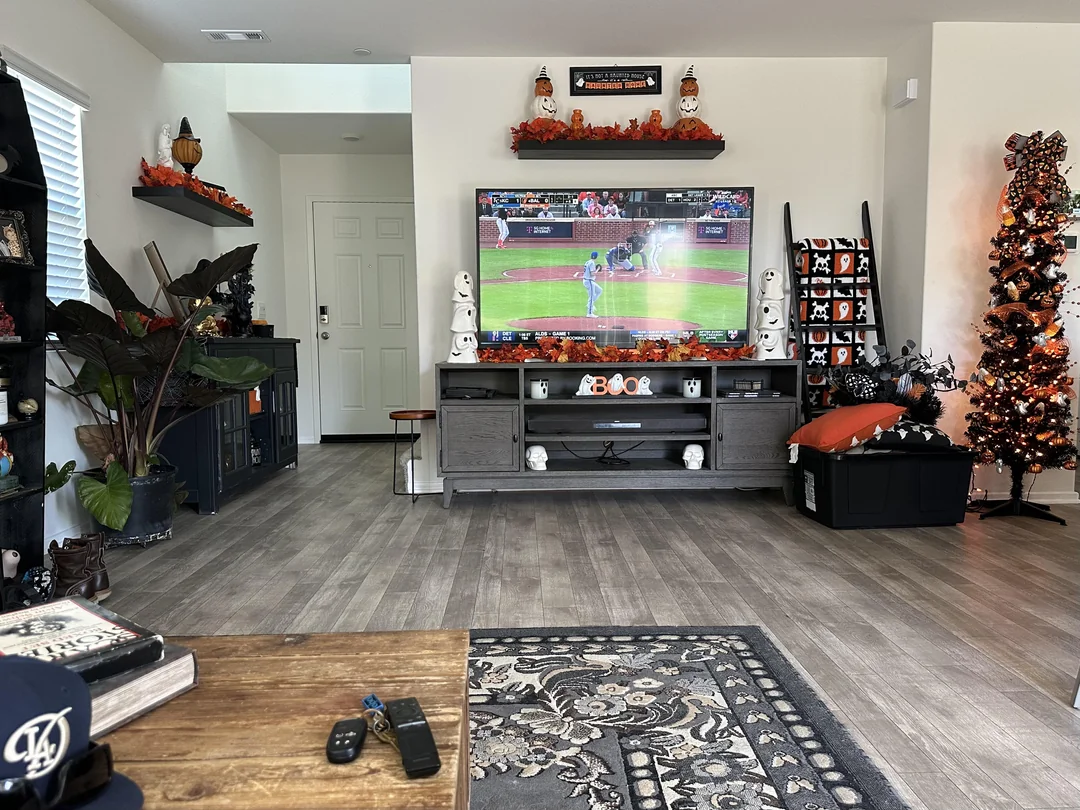
Samsung and LG smart TVs, Android TV and Google TV boxes, the Fire TV Stick, Apple TV, iPhone and iPad, Android phones and tablets, and computers can all run a player app. You install the app from your device’s official app store, enter the access details we e-mail you, and the channel list loads.
- No rented box to return when you stop
- No technician appointment to book
- One remote if the player runs on the TV itself
The players we support are IPTV Smarters Pro, TiviMate, Smart IPTV, IBO Player, XCIPTV and GSE Smart IPTV. Which ones appear depends on the store of your device. We are independent from app publishers. Some players ask for a publisher licence after a while; check the current price on the app’s official website. That licence is separate from your pack, and it is one of the small items worth adding to your comparison.
For a hypothetical Brampton family with a recent smart TV upstairs and an older set in the basement, IPTV can mean adding a small streaming box to the older TV instead of renting a second provider box. For a one-TV condo in Toronto, it may mean nothing new at all. And for a home where the main TV is too old to install apps, a stick or a box becomes the one purchase on the list. The IPTV devices guide for Ontario homes compares the options room by room.
Commitment and how you pay
Cable arrangements often involve a monthly bill, sometimes a term agreement, equipment that must be returned, and a phone call when you want to stop. Terms vary a great deal from one arrangement to the next, so read your own carefully before you switch anything off. Some end on a precise date; others continue month to month until you act.
Our IPTV packs work differently, and the difference is simple to state. You choose a duration of 1, 3, 6 or 12 months and pay once, in Canadian dollars, by card or PayPal. There is no contract and no automatic renewal. When the period ends, access stops unless you decide to order again. Prices change over time, so this page never prints them: see current prices on the IPTV plans page.
That model changes how the end of a period feels. With a recurring bill, stopping is an action you have to take. With a one-time payment, continuing is the action. Some households love that, because nothing surprises the card. Others prefer a bill that simply runs. If you pick IPTV, write the end date in the family calendar the day you order. The guide to paying for IPTV walks through what happens before and after the payment, and why no card details are kept for a renewal.
IPTV vs cable side by side
Here is the whole comparison in one table. It describes the general model of each option, not any particular company. Where a cell says “depends”, that is because cable arrangements differ too much to generalise honestly.
| Criterion | Cable | IPTV with our packs |
|---|---|---|
| How the picture arrives | Dedicated TV line | Your existing internet connection |
| Equipment | Provider box, often installed by a technician | Your own TV, box, stick, phone or computer with a player app |
| Payment | Usually a recurring bill | One-time payment for 1, 3, 6 or 12 months |
| Contract | Depends on your agreement | None |
| Automatic renewal | Usually ongoing billing | None |
| Depends on internet speed | No | Yes: 10 Mbps HD, 15 Mbps Full HD, 25 Mbps 4K per screen |
| Getting started | Install appointment in many cases | Access e-mailed within minutes |
| Screens at once | Depends on the boxes installed | 1 simultaneous connection per pack; more on request |
| Phones and tablets | Depends on the provider | Yes, with a player app |
| Picture quality | Depends on the box and line | HD, Full HD and 4K in every pack |
Read the table with your own home in mind, not as a score. A row like “depends on internet speed” is a small detail for a household on a strong wired connection and the whole story for a household on a struggling rural line. The same row can be a non-issue on one street and a deal-breaker on the next.
The best choice is the one your internet line, your rooms and your evening habits can actually carry.
What your network has to carry with IPTV
This is the part that cable never asked of you. Because the picture travels over the internet, the line and the Wi-Fi need enough room for every screen that plays at the same moment. The figures below are per screen.
Speed to plan at each screen
When two screens play together, add the figures up. A 4K living room TV plus a Full HD bedroom TV comes to 40 Mbps. Two Full HD screens come to 30 Mbps. On top of that, leave room for whatever else the house does in the evening: calls, games, homework uploads, a phone updating its apps.
The speed printed on your internet bill is a ceiling, not a promise at the couch. What matters is the speed the TV itself receives, at the hour you watch. Run the test on the device that will play IPTV, in its usual spot, on a weeknight in Eastern Time when the neighbourhood is online. A router in a basement utility room, a concrete condo wall or a hallway full of other networks can turn a generous plan into a tight one.
| Your evening | What to plan at the screens | Comfortable with cable | Comfortable with IPTV |
|---|---|---|---|
| One HD screen | 10 Mbps | Yes | Yes, on almost any connection |
| One 4K TV | 25 Mbps | Depends on the box | Yes, if the TV really receives it |
| 4K TV plus Full HD tablet, extra screen arranged through support | 40 Mbps | Needs two boxes | Yes, with a wired TV and a 5 GHz tablet |
| Weak line that freezes video calls | Below 10 Mbps at the TV | Yes | No, fix the network first |
If your reading at the TV sits well above the figure for the quality you want, the network will not be the deciding factor. If it hovers close, plan a fix first: the IPTV condo Wi-Fi guide covers crowded towers, and the IPTV buffering guide lists fixes in order of impact.
Installation day versus ordering evening
Getting started is one of the clearest contrasts. Cable often means a booked window, a day off work or a neighbour holding a key, and a technician running a line or checking a wall plate. IPTV means an order, an e-mail and a few minutes with the remote. Here is what a typical IPTV start looks like, hour by hour, on an ordinary weekday.
- After dinner
Test the speed at the TV
Open a speed test on the TV or box, in its usual spot, and note the figure.
- A few minutes later
Choose and pay
Pick a pack and a duration on the plans page and pay once by card or PayPal.
- Within minutes
Open the e-mail
Your Xtream Codes details or M3U link arrive. Check the spam folder if the inbox stays empty.
- Same evening
Install and log in
Get the player from the official app store and enter the details exactly as written.
- Before bed
Set the guide and favourites
Check the guide shows Eastern Time and add the channels you watch most.
Nobody needs to be home for a technician, and nothing arrives by courier. The flip side is that you are the installer. If you can install an app and type a password, you have the skills. If you would rather never open a settings menu, that is a real point in cable’s favour, and you should count it honestly.
The guide on how to set up IPTV covers every device, and the Xtream Codes setup guide explains each field of the login so the first attempt works.
Compare the packs before you decide
Three packs, four durations, one payment, current prices on one page.
Several rooms, several screens
Many Ontario houses grew their TV habits around cable boxes: one in the living room, one in the basement rec room, maybe one in the primary bedroom. Each box played its own channel. With IPTV, the logic is different, and it is the point that surprises households most often.
The one-connection rule
Each pack includes 1 simultaneous connection. You can enter the same credentials on the living room TV, the basement box and a tablet, and switch between them freely. But only one plays at a time. If your household regularly needs two or three screens playing together, contact support before ordering: they explain the conditions and the price for more simultaneous screens.
Most evenings the family watches together, and the tablet comes out only when the TV is off.
Then: one pack covers you on every deviceParents start a film in the living room while a grandparent wants a programme downstairs.
Then: ask support about an extra screen before you orderThree or four screens play at once from dinner to bedtime.
Then: get the conditions in writing from support, then compare with what you pay nowA habit helps here: exit the player properly when you stop watching, instead of only turning the TV off. Otherwise the connection can stay busy for a moment and block the next device. And one rule never bends: your access belongs to your own household. It is not something to pass to relatives in another city. The IPTV for families guide goes deeper into screens, profiles and quiet hours.
Where cable still has the edge
A fair comparison has to say this plainly: for some homes, cable is the better fit, and switching would only bring frustration. Here are the cases, without sugar-coating, next to the cases where IPTV tends to shine.
IPTV tends to fit when
- Your line handles video calls smoothly in the evening
- You like choosing the duration and paying once
- You already own a smart TV, box or stick
- You want the same access on a tablet or phone at home
- You prefer stopping without a cancellation call
Cable tends to fit when
- Your internet freezes on video calls
- You never want to open a settings menu
- You want one company handling repairs in person
- Several rooms must play different channels every night without arranging extra screens
- Nobody at home is comfortable typing a login
The weak-line case is the most important. If your connection already struggles, IPTV inherits the struggle. Cable does not depend on internet speed at all. For a rural property outside Kingston or a cottage-country home on a shaky connection, that can settle the question on its own until the line improves.
The zero-setup case matters too. Some people simply want the TV to work like an appliance. IPTV is not hard, but it does ask for a first evening of setup and a little care with the router. If nobody in the home wants that role, cable keeps life simpler, and there is no shame in choosing it.
IPTV vs cable for four kinds of Ontario homes
To make the trade-offs concrete, here are four hypothetical homes. None of them is a real customer; each just shows how the same comparison leans one way or the other depending on floor plan, family and connection.
Toronto condo, one TV
A couple in a one-bedroom with fibre to the suite. Crowded Wi-Fi is the only concern; a short cable to the TV solves it. IPTV leans ahead.
Brampton house, five people
Overlapping screens every evening. IPTV works if extra screens are arranged with support; otherwise the one-connection rule pinches.
Mississauga semi, contract ending
A solid connection, a router that can move to the living room, and a wish for flexibility. A short IPTV duration is a sensible test.
Ottawa bilingual home
Menus in two languages on different devices. Player settings make that easy; specific content languages are checked with support first.
Rural property, slow line
Video calls freeze at dinner time. Cable or another TV source stays the safer choice until the internet improves.
Retired couple, one routine
Same programmes every night, one screen. Either works; IPTV only if someone is happy to do the first setup.
Find the tile that looks most like your home and read the advice as a starting point. Then adjust for what makes your home unusual: a basement suite with its own tenant, a home office that hogs bandwidth during the day, a teenager who games online every night. Each of those changes the network picture more than the choice of pack does.
If your home is in one of the cities we cover in depth, the local pages add detail: IPTV in Toronto condos and houses, IPTV for Brampton family homes and IPTV in Mississauga each look at the building types you are likely to live in.
Finding something to watch: guide, channels and library
Day to day, a big part of the comparison is how you find something to watch. A cable box offers a channel grid and the provider’s menus. An IPTV player offers a channel list, an electronic programme guide, and an on-demand library of series and movies, all inside the same app.
VIP Premium Pack
- 27,000+ channels
- 61,000+ series
- 155,000+ movies
- HD, Full HD and 4K
Ultimate 4K Pack
- 57,000+ 4K channels
- 47,000+ series
- 179,000+ movies
- 20 servers in Europe
A catalogue this size changes the habit of watching. With a cable grid, you scroll until something catches your eye. With a large IPTV catalogue, scrolling everything is hopeless, so you build favourites, hide categories nobody watches and use search. The first evening spent tidying the lists pays off every evening after. The catalogue includes French-language and international content; if a specific language matters to you, ask support before ordering rather than assuming.
The guide is the other half. A player shows listings from the guide data supplied with your access, and it needs the right time zone to line up with what is on screen. In Ontario that means Eastern Time for most homes. The guide to the TV guide on Eastern Time covers the offset setting and the daylight saving check in spring and fall.
When something goes wrong: who fixes what
Repairs are where the two models feel most different. With cable, a problem usually means a call to the provider, a few checks over the phone, and sometimes a technician visit to test the line or replace the box. You wait, but the job is theirs.
With IPTV, the chain has more links you own: the internet line, the router, the device and the player app. That sounds like more work, and in a sense it is. But each link is easy to test from the couch, and most fixes take minutes, not appointments. A restart of the router, a restart of the stick, a refreshed playlist or a login retyped letter by letter solves the large majority of evenings that go wrong.
Deep dive: a five-minute check before writing to anyone
First, ask the house whether another screen is playing, since one connection per pack means a tablet upstairs can stop the TV. Second, restart the router and wait until it is fully back. Third, unplug the TV box or stick from power for a moment. Fourth, open one channel you know well. Fifth, try the same access on a phone on the same Wi-Fi: if the phone plays and the TV does not, the problem sits with the TV or its spot in the house, not with the service.
When the quick checks do not help, support takes over, 7 days a week by e-mail and WhatsApp, in English or French. A good first message names the device, the player, what you see on screen and when it started. Our IPTV help centre starts from the symptom and points you to the right fix, and the IPTV not working checklist covers the cases where nothing loads at all.
So the honest summary is this: cable hands you a phone number and a waiting window; IPTV hands you a short checklist and a support team that answers in writing. Which one feels better depends on whether you like fixing small things yourself.
Costs to think through, without the numbers
We never print prices on these pages, because they move and the plans page is always current. But a fair comparison still needs a list of what to count. Put both options through the same list, using your own figures.
| Item to count | Cable side | IPTV side |
|---|---|---|
| The TV service itself | Your recurring bill | One payment per period; see current prices on the plans page |
| Equipment | Box rental, if any | A stick or box only if your TV cannot run a player |
| Extra rooms | Additional boxes | Extra simultaneous screens on request, conditions from support |
| Internet plan | Not affected | Upgrade only if the speed at the TV falls short |
| Player app | Not applicable | Some players ask for a publisher licence; check its website |
| Setup time | Install appointment | One evening of your own time |
Two lines are easy to forget. The first is the internet plan: if your connection is borderline, the real cost of IPTV may include a faster plan or a cable run to the TV. The second is the extra screens: if your home needs three rooms at once, get the conditions from support in writing and compare like with like. Leaving either out makes the comparison look better or worse than it is.
Write both columns on one sheet with your own figures, including the end date of your current cable terms. Decisions made side by side are calmer than decisions made on the evening a bill arrives.
Making the switch in an Ontario home
If the comparison tips toward IPTV, the goal is a change-over with no dark evenings. The steps below keep cable running until IPTV has proven itself in your home, at your busiest hour.
- Check your current terms. Note the end date of your cable arrangement, any notice it requires and the equipment that has to go back.
- Test your network at the TV. Run a speed test on the TV or box you plan to use, on a weeknight evening, and compare it with the figure for the picture quality you want.
- Fix the weak link first. If the reading is borderline, move the router into the open, switch to 5 GHz or run a cable before ordering.
- Pick a short duration. A 1-month or 3-month period lets you see how IPTV fits your routine while cable is still connected.
- Set up the main TV carefully. Install the player from the official app store, enter your details, set Eastern Time and build favourites.
- Live with both for a week. Use IPTV every evening, including the night of the week when the house is busiest online.
- Decide with evidence. If the week went smoothly, end the cable arrangement on its terms; if not, you lost nothing but a short period.
The overlap week is your safety net
Running both for a few days costs a little patience and removes most of the risk. You discover how your network behaves on a real Friday night, whether the family likes the player, and whether the one-connection rule fits your habits. All before anything is cancelled.
- Note any pause with the time it happened
- Let each family member try the remote
- Check the guide lines up with the clock
Testing IPTV vs cable in your own home
The overlap week works best with a little structure. Without it, you end up with a vague feeling instead of an answer. Here is a simple scorecard to keep on the fridge, filled in by whoever watches each evening.
- Did the picture pause, and at what time of the evening?
- Was anyone else using the internet heavily at that moment?
- Did the guide match the programme on screen?
- Could each regular viewer find their favourites without help?
- Did two people ever want to watch at the same time in different rooms?
- Was 4K used, and did the TV really receive enough speed for it?
- Did anyone miss something cable did that the player does not?
After a week, the answers usually point clearly in one direction. Pauses only at peak time with heavy uploads running elsewhere point to a network fix, not to cable. Frequent clashes between rooms point to a conversation about extra screens. A grandparent who could not find the guide points to a ten-minute lesson, not a deal-breaker. And a family that never noticed the difference has its answer too.
If something puzzles you during the test, write to support with the device, the player and what you saw. They answer 7 days a week by e-mail and WhatsApp, in English and French.
Mistakes people make when comparing
Most disappointing switches, in either direction, trace back to a handful of avoidable errors. Knowing them in advance turns the comparison into a fair one.
Do not cancel cable before you have tested IPTV at your busiest hour, on the TV you will actually use. A speed test on a phone beside the router at noon tells you almost nothing about the basement TV on a Friday night. And whichever service you consider, remember: the technology is legal; whether a service is legal depends on the broadcasting rights it holds, so check before subscribing.
Leaving out an internet upgrade, a streaming stick or a player licence makes IPTV look different from reality.
Then: use the cost list above with your own figuresExpecting cable-style multi-room viewing on a single connection leads to clashes on the first busy night.
Then: count overlapping screens and ask supportA router in a closet makes any IPTV service look weak.
Then: move it into the open before judgingExpecting a specific language without checking leads to a disappointing first evening.
Then: ask support before orderingOne more, and it is the quiet one: changing several things at the same time. If you switch services, move the router and buy a new stick in the same weekend, you will not know which change made the difference. Change one thing, live with it for a couple of evenings, then move to the next.
The legal question deserves its own neutral treatment, so we gave it one. Our article is IPTV legal in Canada lists the questions to put to any provider, in writing, before you pay.
Is your home ready for IPTV vs cable
Tick these off before you decide. If most of them apply, IPTV deserves a serious look. If several do not, improve those points first or stay with what you have for now.
Line with headroom
Your internet handles video calls in the evening without freezing.
Tested at the TV
You measured the speed on the device in the TV room, not beside the router.
Supported screen
At least one of your screens is a smart TV, box, stick or Apple device that runs a player.
Screens counted
You know how many screens need to play at the same moment.
Comfortable with apps
Someone at home can install an app and type a username and password.
Language checked
If a specific language matters, you asked support before ordering.
Want background before deciding? Read what IPTV is and how it works for the basics, or see how player settings handle menus, audio and subtitles in IPTV for multilingual homes. The IPTV guide for Ontario gathers every article in one place.
Words that come up in the comparison
Cable and IPTV use different vocabulary for similar things. This short glossary maps one onto the other, so the comparison stays clear when you read terms, menus or support replies.
- Provider box
- The receiver supplied with a cable service; with IPTV, your own device plus a player app takes its place.
- Player app
- The app that opens your access and shows the channel list, guide and library.
- Xtream Codes
- A login in three fields, server URL, username and password, sent by e-mail.
- M3U link
- A single playlist link, an alternative to the Xtream Codes login.
- EPG
- The electronic programme guide inside the player, set to Eastern Time in Ontario.
- Simultaneous connection
- A stream playing at a given moment; each pack includes one.
- Headroom
- Spare internet speed above what the TV needs, so other uses do not cause pauses.
- Ethernet
- A network cable from the router to the TV or box, the steadiest link indoors.
Ready to try IPTV alongside cable
Pick a short duration, pay once in Canadian dollars and receive your access by e-mail within minutes.
FAQ
Is IPTV better than cable?
It depends on your home. IPTV suits households with a solid internet connection that value flexibility and a one-time payment. Cable suits homes with a weak line or people who want no setup at all.
Do I need to return any equipment with IPTV?
No. You use your own devices and a player app from your device’s official app store. Nothing is rented from us.
Can I keep cable and try IPTV alongside it?
Yes. Running both for a short while is the calmest way to decide. A 1-month or 3-month duration makes that easy.
Will IPTV slow down the rest of my internet?
Streaming uses part of your connection: about 10 Mbps for HD, 15 Mbps for Full HD and 25 Mbps for 4K per screen. With enough headroom, browsing and calls carry on normally.
What happens when my IPTV period ends?
Access stops. There is no automatic renewal, so you choose whether to order again and with which pack.
Can several TVs play at once like with cable boxes?
Each pack includes 1 simultaneous connection. For more screens at once, contact support before ordering for the conditions and the price.
Do I need a technician to install IPTV?
No. Access arrives by e-mail within minutes, and you enter it in a player app on your own device. The setup guides walk through every step.
Does IPTV work during an internet outage?
No. IPTV depends on your connection, so the picture stops while the internet is down and returns when the line is back.
Can I get the guide on Ontario time?
Yes. Set your device and player to Eastern Time so the listings match your evening, and check again when the clocks change.
How do I pay for IPTV?
Once, in Canadian dollars, by card or PayPal, for 1, 3, 6 or 12 months. See current prices on the plans page.